> ## Documentation Index
> Fetch the complete documentation index at: https://stackone-hub-docs-confluence-api-token-update.mintlify.site/llms.txt
> Use this file to discover all available pages before exploring further.
# PeopleFluent
> How to obtain the credentials required to connect to PeopleFluent.
You must have administrator access in your PeopleFluent account to complete these steps.
## Collect your Credentials
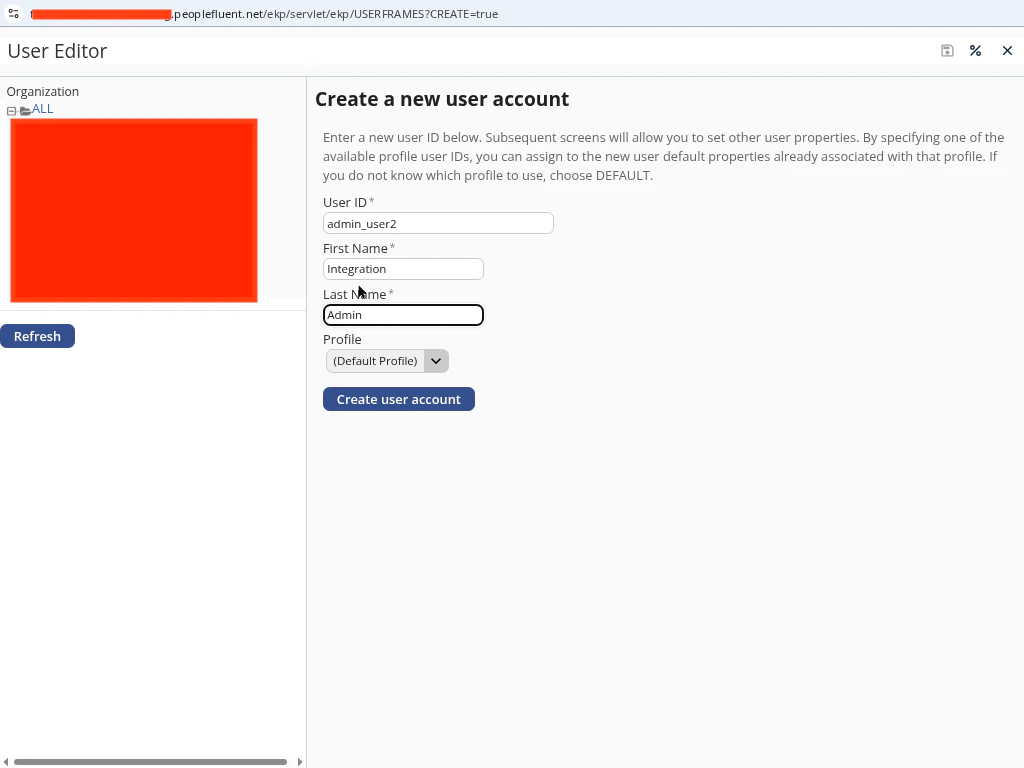
In PeopleFluent, go to **Manage Center → Users → User Manager → Users**.\
Click **Create**, enter the user details, and assign a **System Administrator** role (or a system role with unrestricted access to **User Manager** and **Users**). Click **Save**.
 Gather the following fields:
* **Username** — the administrator user’s login.
* **Password** — the administrator user’s password.
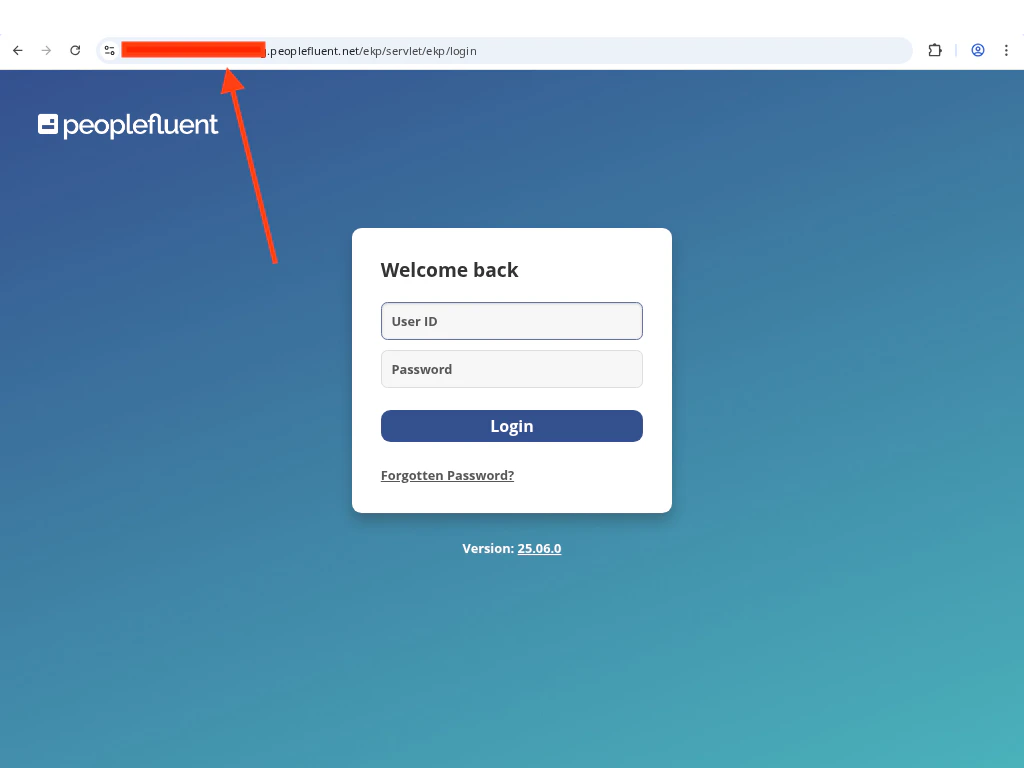
* **Company Domain** — taken from your login URL. For a URL like\
`https://my-domain.learning.peoplefluent.net/ekp/servlet/ekp/login`, enter `my-domain`.
Gather the following fields:
* **Username** — the administrator user’s login.
* **Password** — the administrator user’s password.
* **Company Domain** — taken from your login URL. For a URL like\
`https://my-domain.learning.peoplefluent.net/ekp/servlet/ekp/login`, enter `my-domain`.
 ## Linking Your PeopleFluent Account
Enter **Username**, **Password**, and **Company Domain** in the connection form.
Click **Connect** to verify credentials and establish the connection.
## Linking Your PeopleFluent Account
Enter **Username**, **Password**, and **Company Domain** in the connection form.
Click **Connect** to verify credentials and establish the connection.
Congratulations, you're all set! If you face any issues with the steps mentioned above,
please contact us by emailing [integrations@stackone.com](mailto:integrations@stackone.com). We're always here to assist you!