> ## Documentation Index
> Fetch the complete documentation index at: https://stackone-hub-docs-confluence-api-token-update.mintlify.site/llms.txt
> Use this file to discover all available pages before exploring further.
# Greenhouse
> If you have been directed to StackOne to integrate with Greenhouse, the following steps will help you understand the process and any necessary actions to configure successful integration.
This guidance assumes you have Admin privileges for your Greenhouse account.
## Generating Harvest API Key
Click on Configure gear ⚙️ and open Dev Center > API credentials.
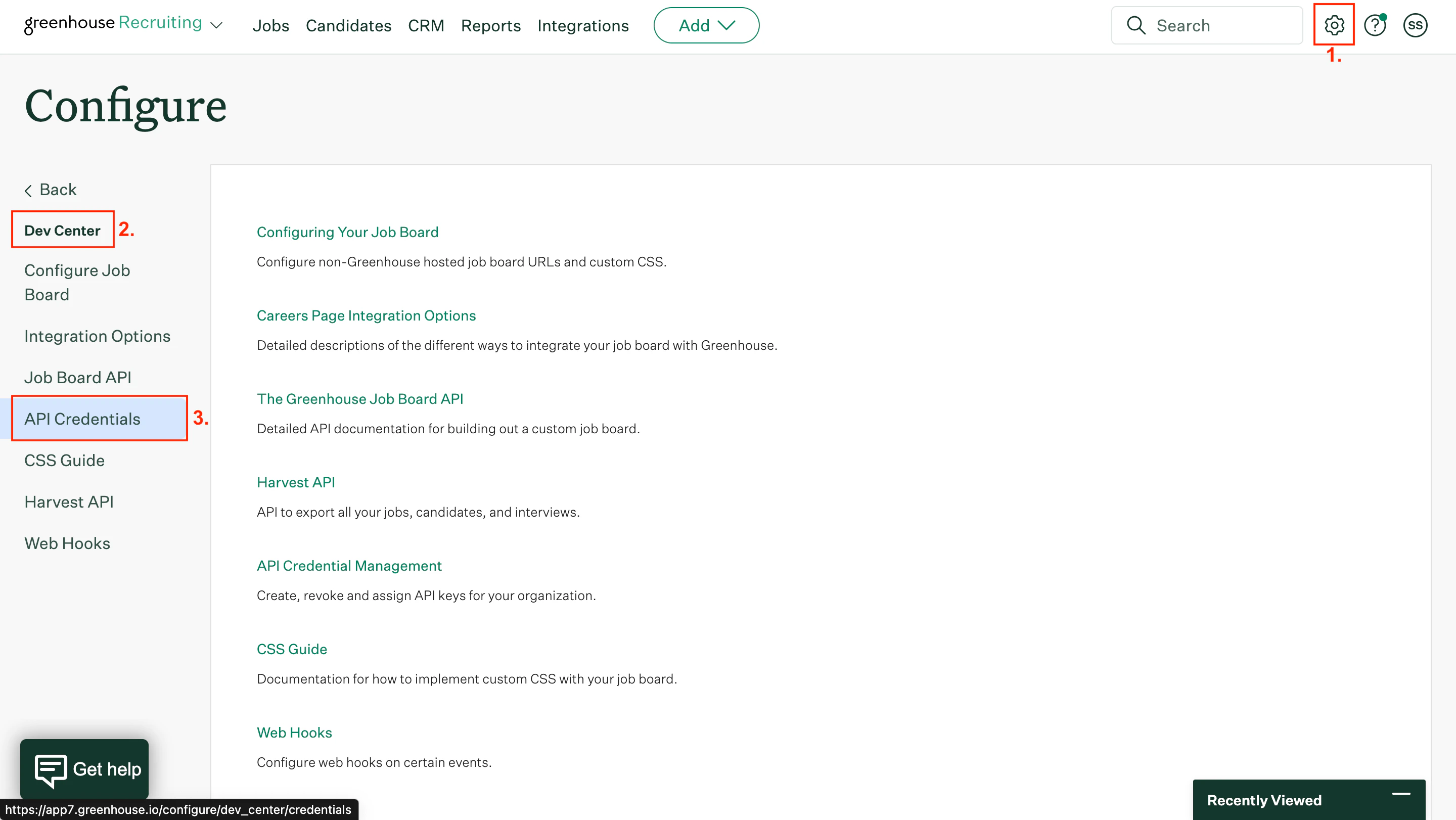 Click Create new API key. Specify the following parameters:
API type – Harvest
Partner – Custom
Description – "Describe\_your\_integration"
Click Create new API key. Specify the following parameters:
API type – Harvest
Partner – Custom
Description – "Describe\_your\_integration"
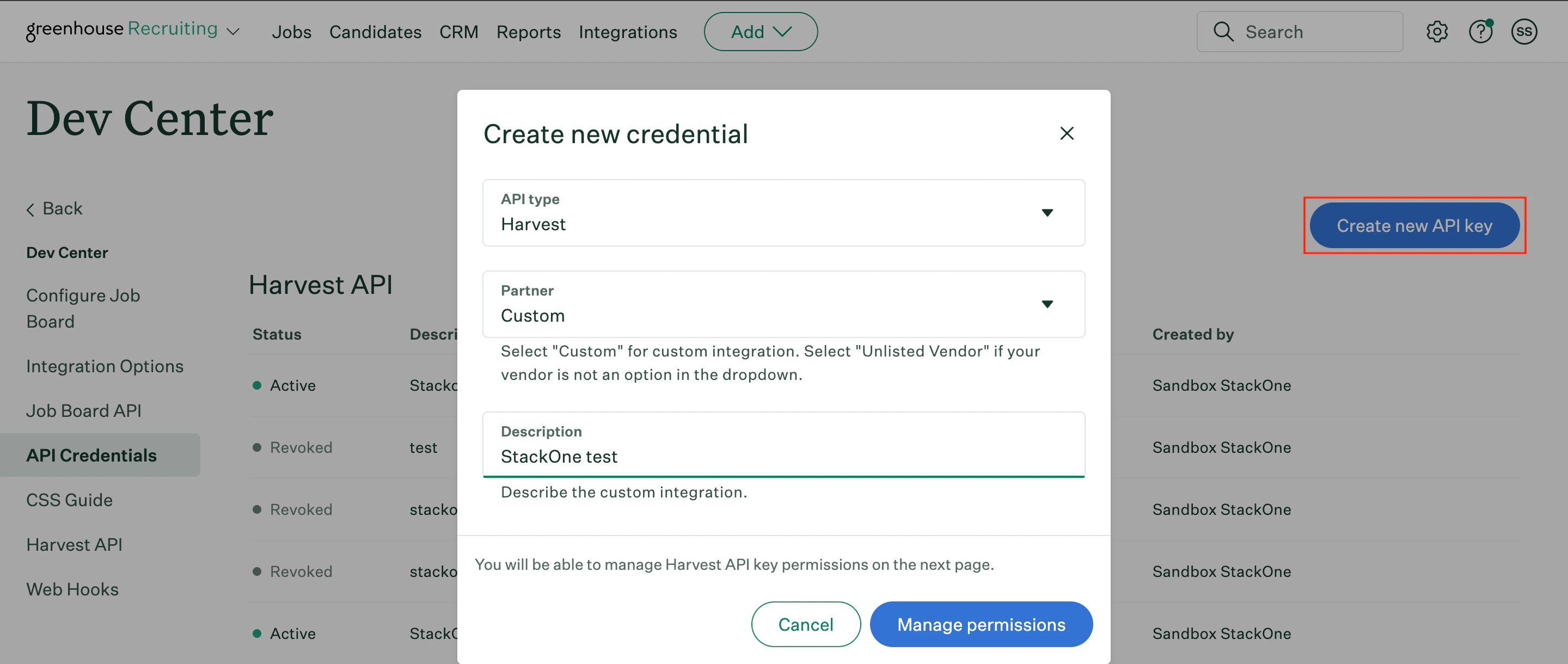 Click Manage permissions.
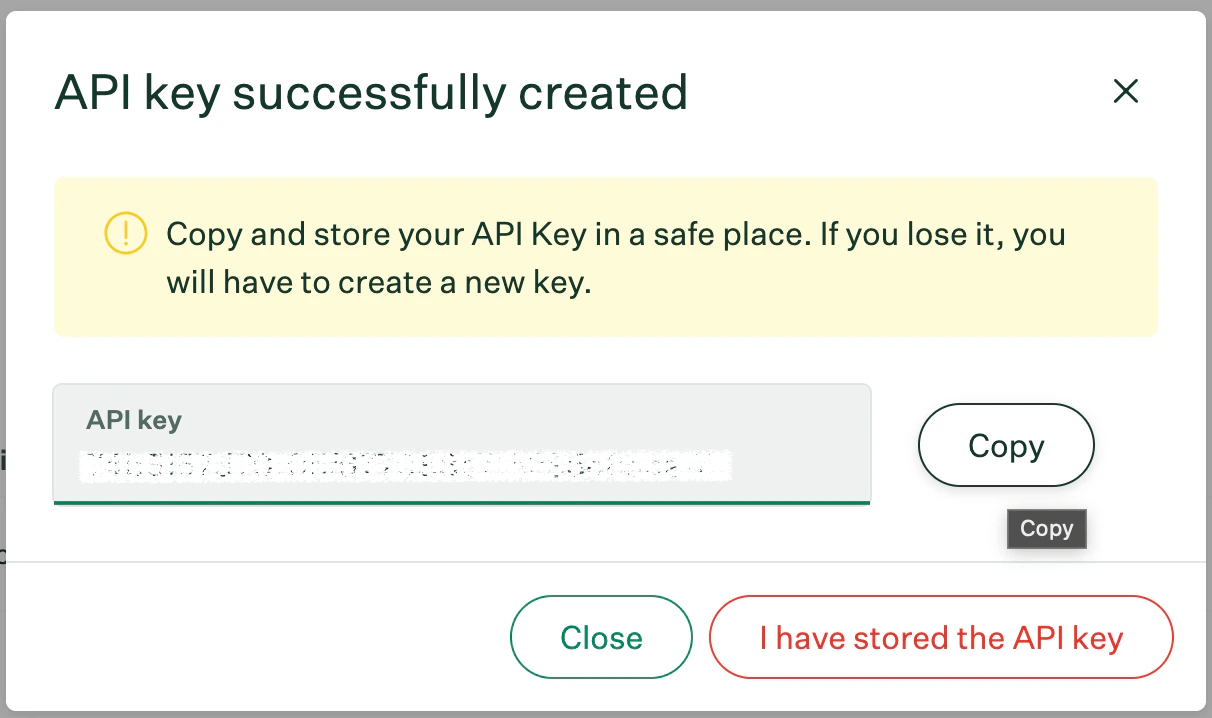
Copy your newly generated API key to a safe place. Then click **I have stored the API key**.
Click Manage permissions.
Copy your newly generated API key to a safe place. Then click **I have stored the API key**.
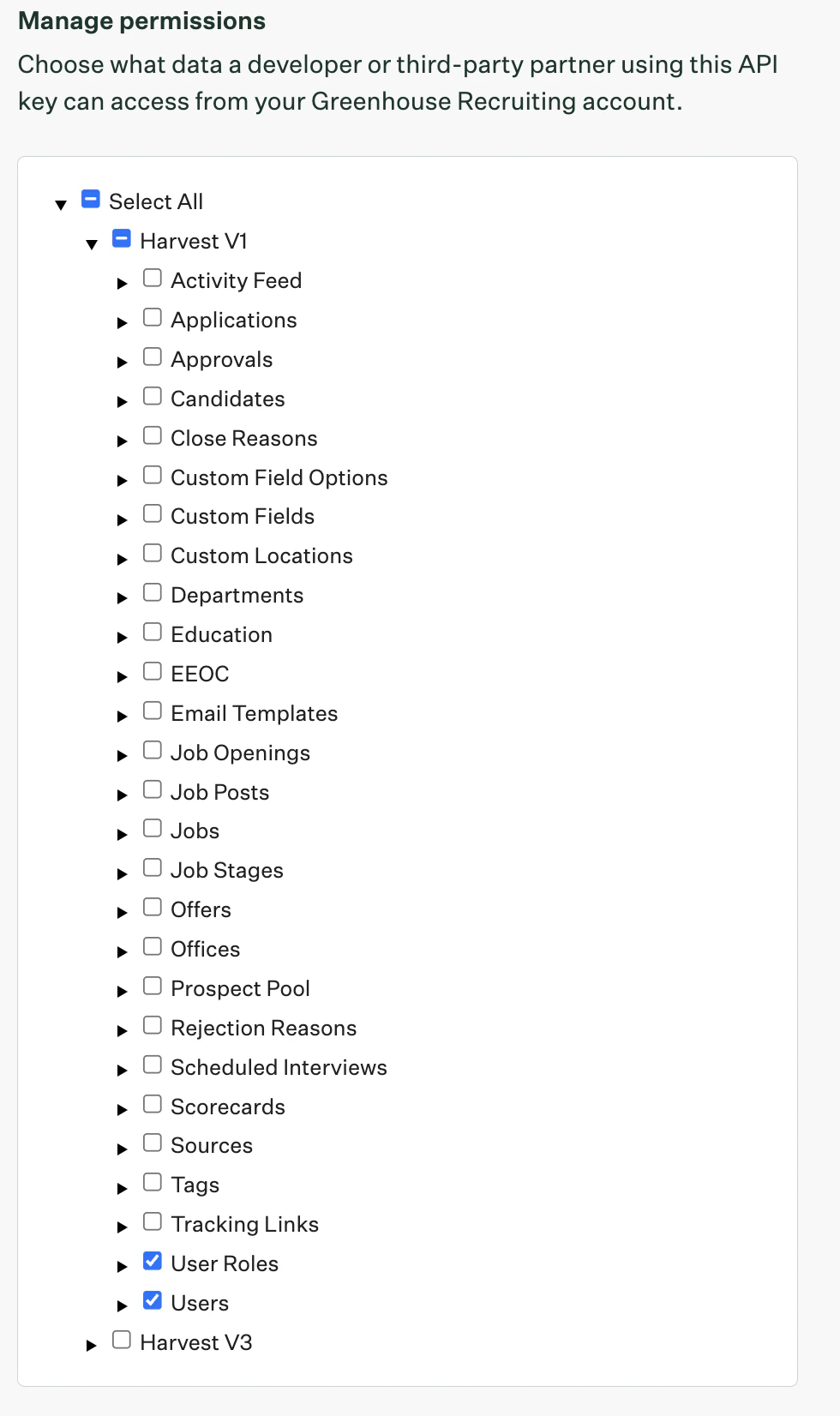
 In the Manage permissions page, enable Select the following 2 permissions and click **Save**:
* User Roles
* Users
In the Manage permissions page, enable Select the following 2 permissions and click **Save**:
* User Roles
* Users
 ## Retrieve your Greenhouse User ID
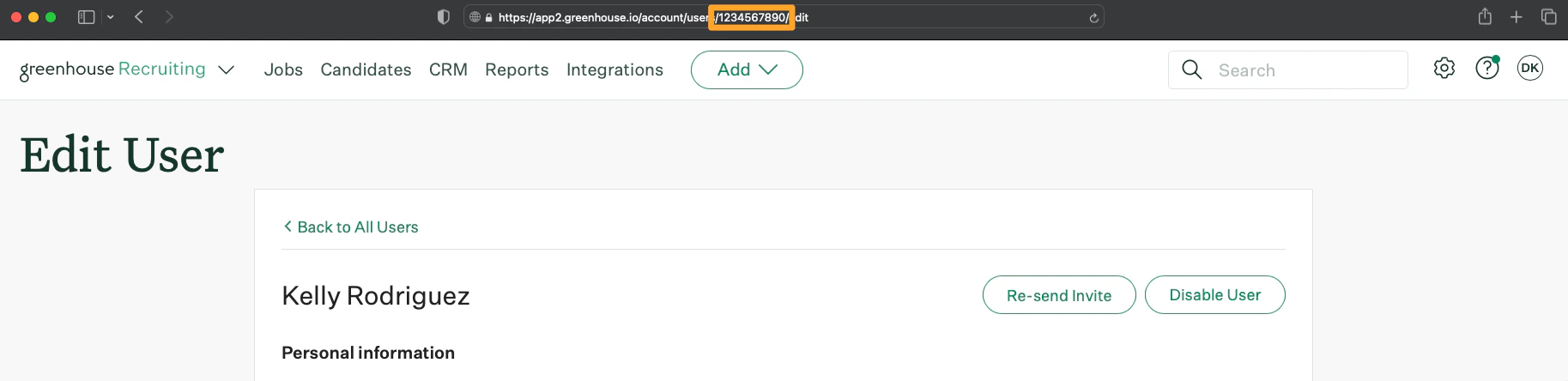
Per the Greenhouse documentation, you can locate a User ID by going to the **Users** page, select a User with the **Site Admin** permission and retrieve the User ID present in the URL:
*Screenshot of an example User ID:*
## Retrieve your Greenhouse User ID
Per the Greenhouse documentation, you can locate a User ID by going to the **Users** page, select a User with the **Site Admin** permission and retrieve the User ID present in the URL:
*Screenshot of an example User ID:*
 ## Connect with StackOne
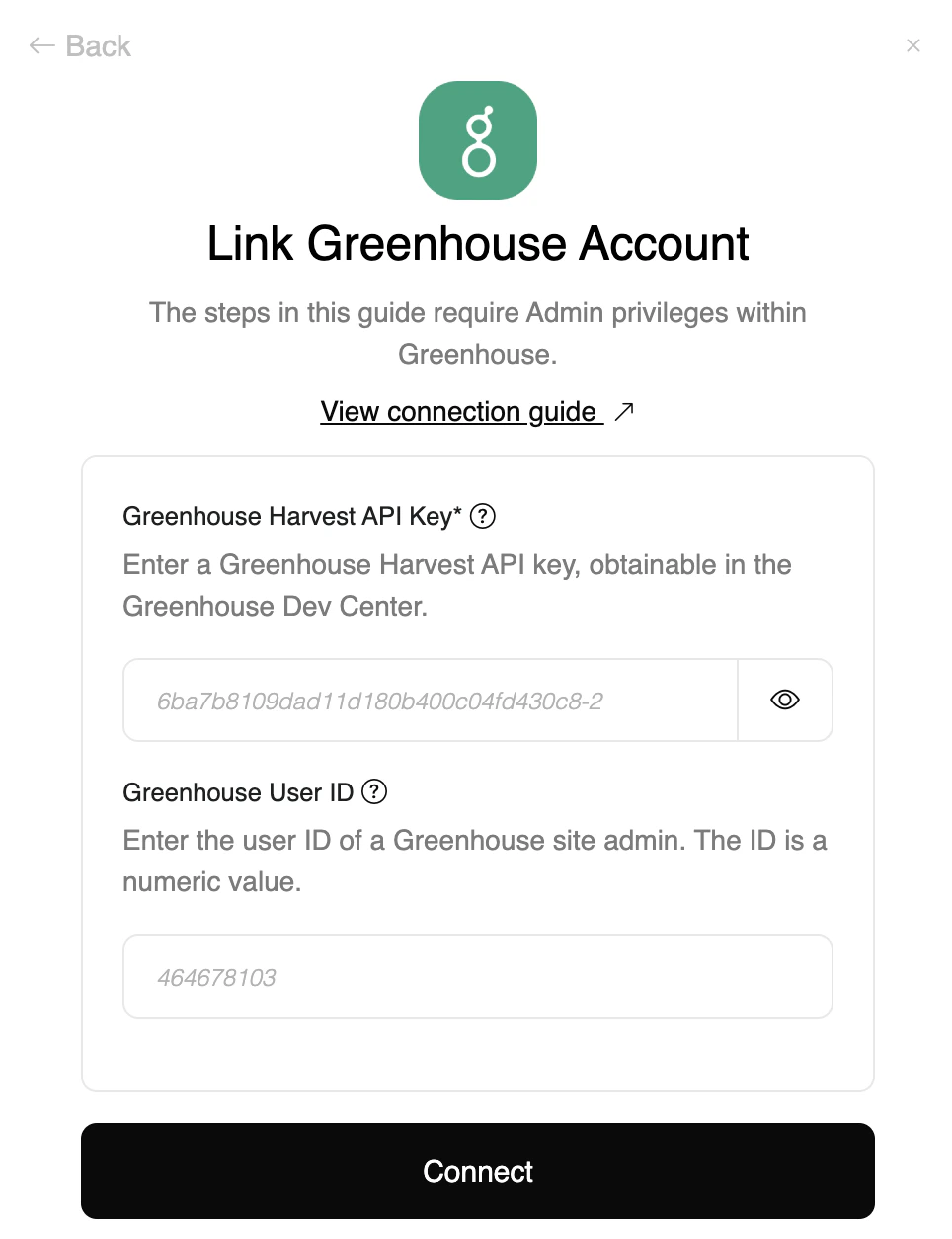
Enter the gathered details in the relevant inputs and proceed by clicking the Connect button.
## Connect with StackOne
Enter the gathered details in the relevant inputs and proceed by clicking the Connect button.
Congratulations, you're all set! If you face any issues with the steps mentioned above,
please contact us by emailing [integrations@stackone.com](mailto:integrations@stackone.com). We're always here to assist you!
## Available data
This integration has the following [IAM Resources](https://docs.stackone.com/reference/iam_list_users) available from the provider:
## Useful Links
[https://developers.greenhouse.io/harvest.html](https://developers.greenhouse.io/harvest.html)