

Find your Organization ID
Your Organization ID is a unique number located in your Employment Hero platform URL. You may need this ID when configuring your integration. Look at the page URL in your browser’s address bar. You will see a unique number which is your organization’s platform ID. For example, if your URL ishttps://secure.employmenthero.com/app/organisations/12345/dashboard, then your organization ID is 12345.
Generate Client ID and Secret key
1
Log in to your Employment Hero account
Log in to your Employment Hero account with Admin privileges to access the necessary settings for integration.
2
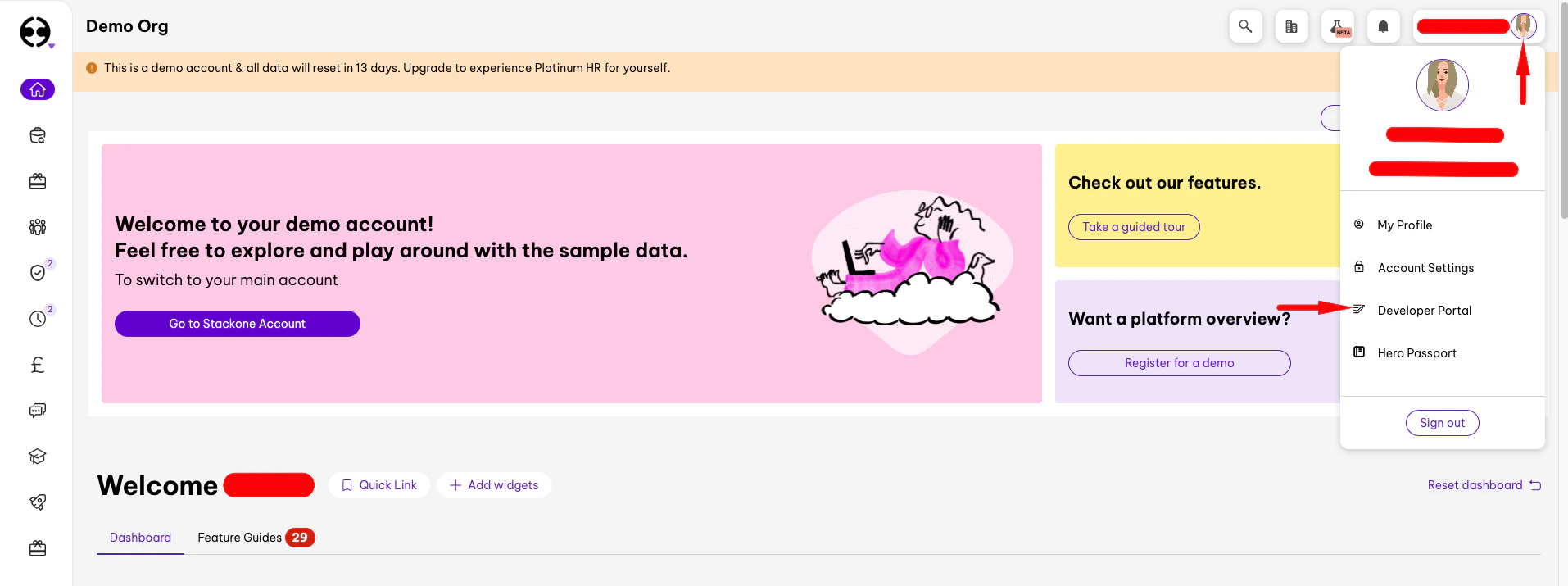
Navigate to Account > Developer Portal > API
3
Click Add Application
On the API tab, click the Add Application button.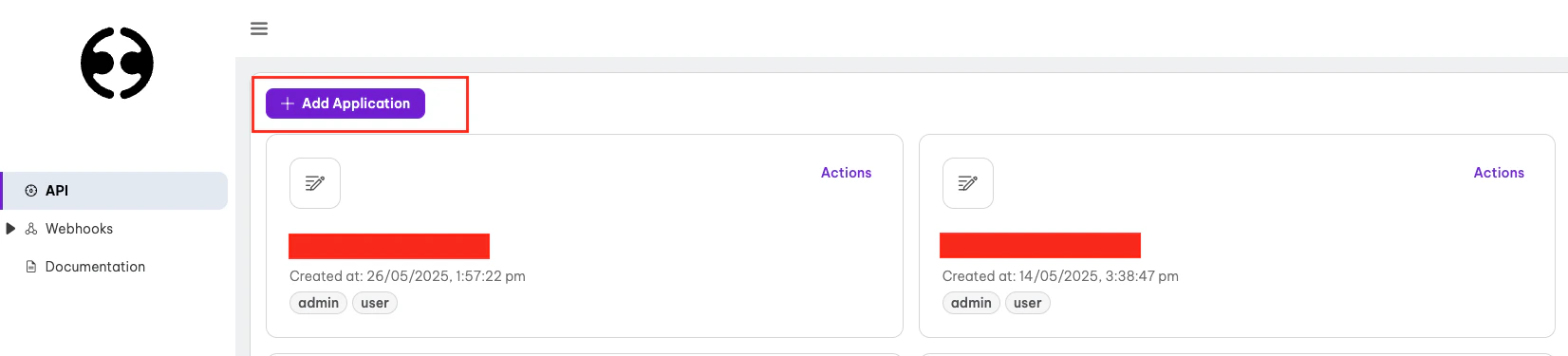
4
Configure the App Details
Configure the app with the following details and then click the Create button
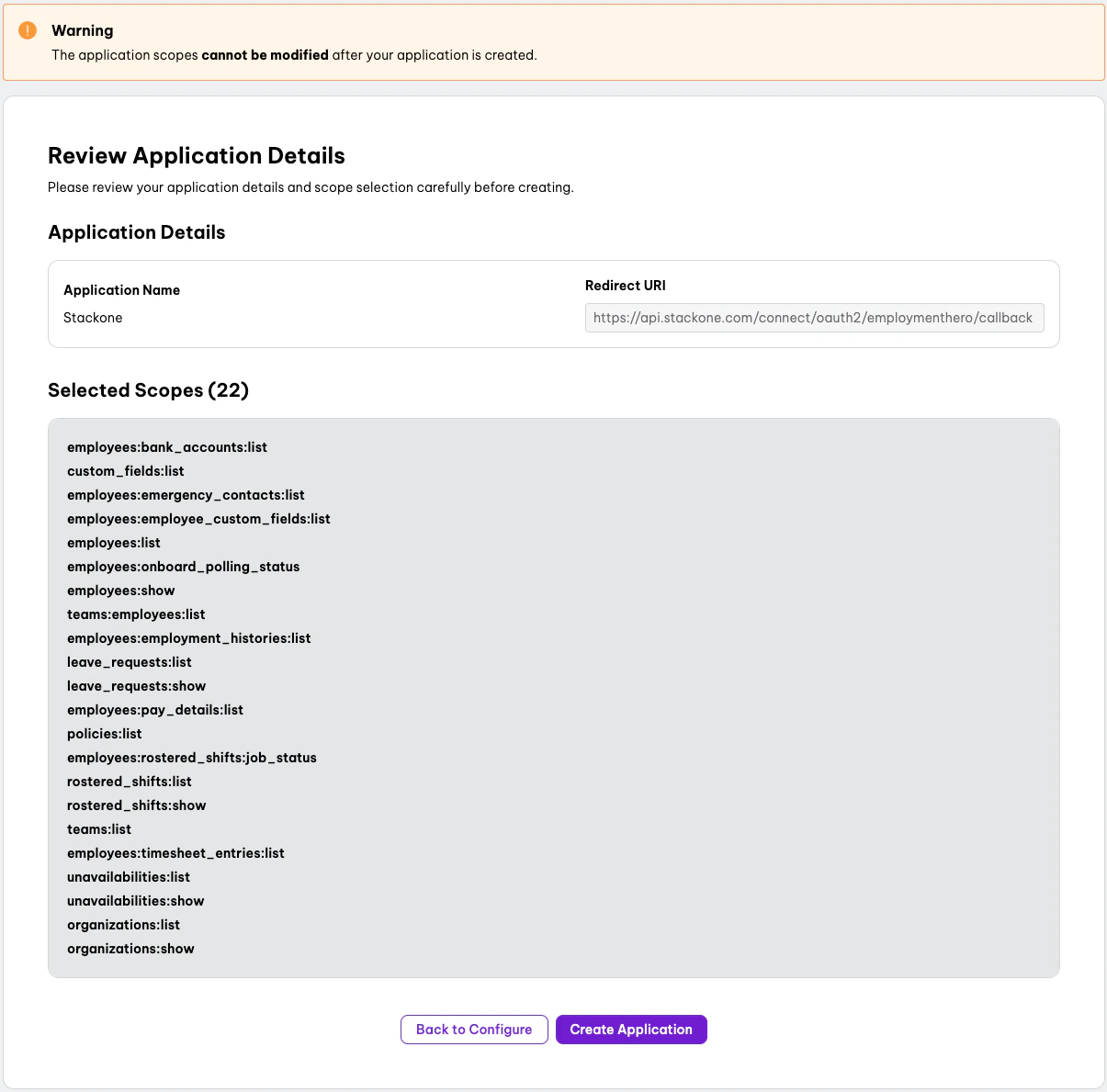
- Name: e.g. StackOne
- Redirect URL:
https://api.stackone.com/connect/oauth2/employmenthero/callback - Scopes: Select the required admin and user scopes to enable data access via API. Below are the recommended scopes to select:
custom_fields:listemployee_custom_fields:listemployees:listtimesheet_entries:listleave_requests:listpolicies:listrostered_shifts:listunavailabilities:listbank_accounts:listemergency_contacts:listemployment_histories:listpay_details:listteams:listorganisations:list
5
Copy your Client ID and Client Secret
Copy your Client ID and Client Secret and store them safely for use in a later step.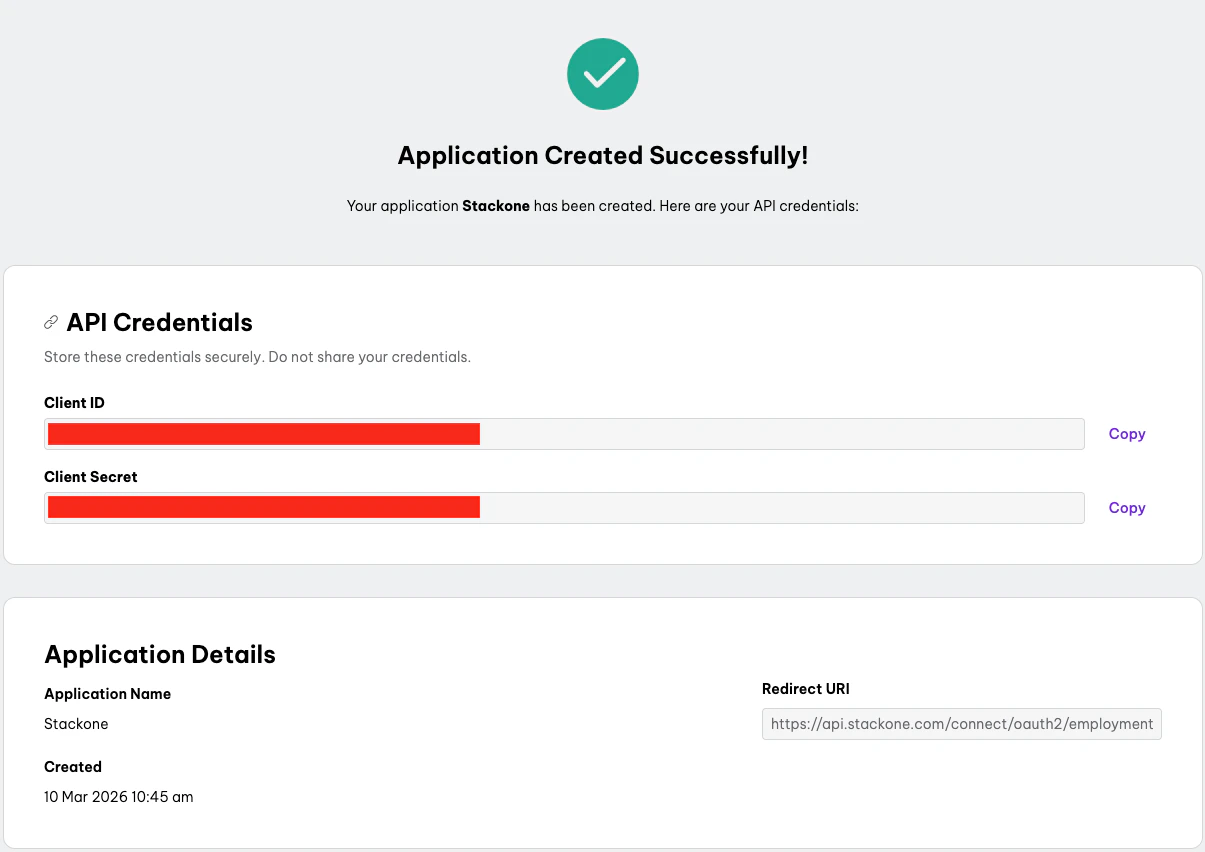
Connecting with StackOne
1
Enter Credentials
Upon reaching the Link Account page, enter the credentials from the previous steps, then click the Connect button to proceed.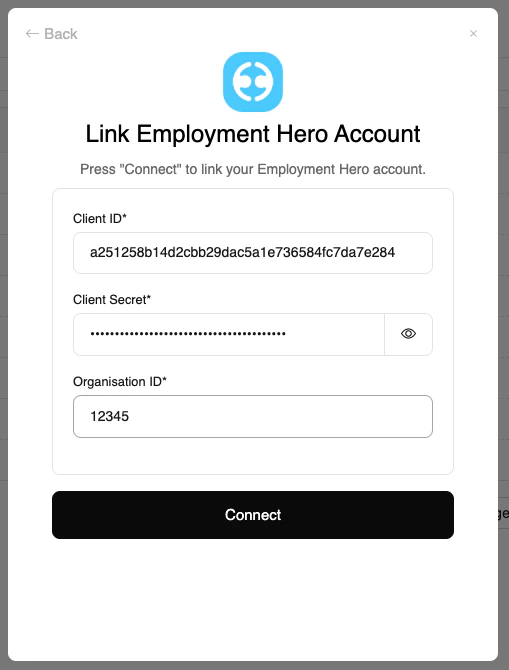
Congratulations, you’re all set! If you face any issues with the steps mentioned above, please contact us by emailing integrations@stackone.com. We’re always here to assist you!